
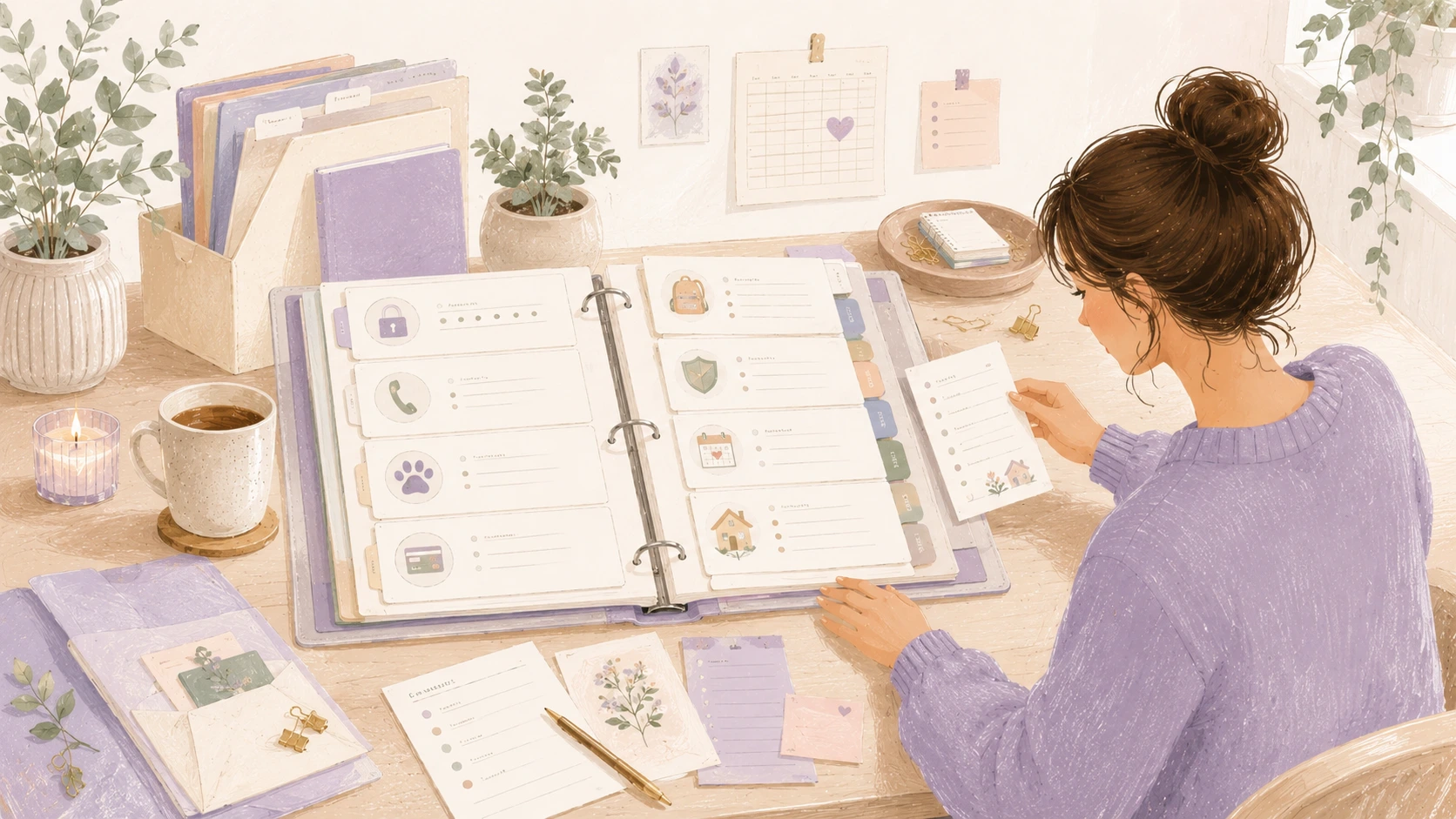
The “I Forgot Again” Home Binder Setup
Household information has a way of spreading itself across too many places. A password is saved in a phone app, a school note is tucked into a backpack, the vet’s number is on an old receipt, a subscription renews quietly in the background, and the emergency contact list is somewhere you meant to update months ago.
None of these details seem like a big system on their own. They are small things. But when you need one of them quickly, the scattered pieces can make home life feel more stressful than it needs to be.
A home binder is a simple way to bring those everyday details together. It does not need to be fancy, color-coded, or filled with dozens of pages. At its best, it is a practical place for the information you forget, misplace, or have to look up again and again. It gives your household a central reference point for passwords, emergency contacts, pet information, subscriptions, school notes, and reminders that help the week run more smoothly.
Why a home binder helps
A home binder is not about managing every part of your life perfectly. It is about reducing the number of places you have to check when something comes up. Instead of searching through emails, text messages, drawers, phone notes, and old papers, you have one place to look first.
This is especially helpful for information that is important but not used every day. Emergency contacts, insurance details, appliance information, school schedules, pet care instructions, and subscription renewal dates are easy to forget because they are not part of the daily rhythm. They matter most when you suddenly need them.
A printable home binder setup can make this easier because each page has a purpose. Instead of opening a blank notebook and wondering what to write, you can use clear sections that guide you through the information worth keeping. The structure helps without making the system feel heavy.
Start with the sections you actually need
A home binder can become overwhelming if you try to include every possible category at once. The easiest way to begin is with the information your household already loses, forgets, or repeats.
For this kind of binder, six useful sections are:
Passwords and logins
Emergency contacts
Pet information
Subscriptions and renewals
School notes
Household reminders
These categories cover many of the details that often cause the “I forgot again” feeling. They are also practical because they can be updated as life changes. You are not creating a perfect household archive. You are building a simple reference tool.
Use dividers, tabs, or labeled printable cover pages to separate the sections. If you prefer a smaller setup, a slim binder or folder may be enough. If your household has children, pets, rentals, medical needs, or multiple schedules, a larger binder may give you more room.
Passwords and logins
Passwords are one of the most sensitive parts of a home binder, so this section needs extra thought. A printed password page can be useful for non-sensitive household logins, shared accounts, device codes, Wi-Fi details, streaming services, school portals, or appliance apps. It can also help another trusted adult manage the home if needed.
However, it is important to be careful. Do not leave highly sensitive financial passwords, banking logins, or private work credentials in an easy-to-access binder. For many households, a password manager is safer for critical accounts. A binder can still hold reminders about where passwords are stored, recovery instructions, Wi-Fi information, or shared household account notes.
A simple password page might include the account name, username or email, password hint, recovery email, and notes. For security, you may choose to write hints instead of full passwords. You might also keep this section in a locked drawer or separate it from the rest of the binder.
The goal is to make everyday access easier without creating unnecessary risk.
Emergency contacts
Emergency information is one of the most useful binder sections because it supports the whole household. It can help babysitters, relatives, house sitters, older children, or anyone stepping in during an unexpected situation.
Include names, phone numbers, and relationships for close family, neighbors, doctors, dentists, schools, childcare providers, veterinarians, landlords, utility companies, and insurance contacts. If your household has medical needs, allergies, or important instructions, add those clearly.
This section should be easy to read quickly. Use large enough text, simple labels, and uncluttered pages. In an emergency, no one wants to scan through a crowded sheet full of tiny notes.
It can also be helpful to keep a copy of the most essential emergency contacts near the front of the binder. If you use a printable emergency contact page, place it in a plastic sleeve so it stays clean and visible.
Pet information
Pet details are easy to underestimate until someone else needs to care for your animal. A pet section can be useful for everyday care, travel, emergencies, and vet visits.
Include your pet’s name, breed, age, microchip number, medication details, feeding routine, allergies, vet contact information, vaccine dates, grooming notes, and favorite hiding spots or behavior quirks. If your pet has a specific routine, write it in plain language. “Half a cup of food at 7 a.m. and 6 p.m.” is more useful than “regular feeding schedule.”
This section is especially helpful for pet sitters. It can prevent repeated texts, forgotten instructions, and confusion about food, medication, walks, litter, crates, or comfort items.
You might also include copies of vaccine records, boarding requirements, or medication labels. If those papers change often, use a pocket folder or clear sleeve so they can be swapped out easily.
Subscriptions and renewals
Subscriptions are easy to start and surprisingly easy to forget. Streaming services, software, apps, memberships, delivery boxes, school platforms, cloud storage, gym plans, and household services can quietly renew unless they are written down somewhere.
A subscription tracker page gives you a clear view of what you are paying for and when. Include the service name, cost, renewal date, payment method, login email, cancellation steps, and whether the subscription is monthly or annual.
This section can be useful during budgeting, but it does not need to become a full financial planner. Its main purpose is awareness. When subscriptions are visible, it is easier to decide what still earns its place and what can be canceled.
Review this section once a month or once a quarter. You may notice services you no longer use, free trials that need attention, or annual renewals you want to prepare for ahead of time.
School notes and child-related information
School information often arrives in pieces. One email has the field trip details, a paper in a folder mentions picture day, a message thread includes the sports schedule, and the school portal holds login information. A binder section can bring the most important notes together without trying to save every single paper.
Include school contacts, teacher names, class schedules, lunch account information, login details, activity calendars, transportation notes, permission slip reminders, and recurring school routines. If you have more than one child, give each child a separate page or subsection.
This is also a good place for notes that need action. For example, a printable school reminder page might include forms to return, supplies to buy, dates to remember, and upcoming events. Keeping these items in one place can reduce the last-minute search for papers before school.
Try not to let this section become a storage spot for every worksheet or art project. The binder should hold useful reference information, not become a paper archive. Special keepsakes can have their own box or folder elsewhere.
Household reminders
The household reminders section is where the binder becomes especially personal. This is the place for the things your home needs you to remember, even if they do not fit neatly into another category.
You might include trash pickup days, recycling schedules, filter replacement dates, appliance maintenance notes, seasonal tasks, home project lists, warranty information, cleaning routines, garden reminders, or a list of things to check before traveling.
A printable reminder page can be helpful because these tasks often repeat. You can create monthly, seasonal, or annual reminder pages depending on how your home runs. For example, one page might track smoke detector checks, air filter changes, deep cleaning tasks, and insurance renewal dates.
The key is to keep this section useful rather than ambitious. A reminder page should help you notice what matters, not pressure you into maintaining a perfect home.
How to set up the binder without overdoing it
Start with the binder itself, a small stack of printable pages, dividers, and a pen. A three-ring binder works well because pages can be moved, replaced, and added over time. Page protectors are useful for documents you handle often or pages you want to reuse with a dry-erase marker.
Begin with the sections that solve an immediate problem. If you are always searching for school notes, start there. If subscriptions are the issue, create that tracker first. If pet care instructions are scattered, build that page before anything else.
You do not have to finish the binder in one sitting. In fact, it may be better if you do not. A useful home binder grows from real needs. Add pages when you notice yourself looking for the same information again.
A good first setup might include one page for emergency contacts, one page for Wi-Fi and household logins, one pet information page, one subscription tracker, one school notes page, and one household reminders page. That is enough to make the binder useful without turning it into a large project.
Keep it easy to update
A home binder only works if it stays reasonably current. This does not mean you need a complicated maintenance routine. A short monthly check is usually enough.
Look over the emergency contacts, subscription dates, school notes, and reminders. Cross out anything outdated. Replace pages that are messy. Add new information while it is still fresh.
Use pencil for details that change often. Use sticky notes for temporary reminders. Keep a small folder pocket in the binder for papers that need to be dealt with soon. These small choices make the binder easier to use in real life.
It can also help to keep blank printable pages at the back. When a new category comes up, you do not need to redesign the binder. You can simply add a notes page and label it.
Make sure the right people know where it is
A home binder is most useful when the household knows it exists. If it is hidden too well, no one will use it. If it contains sensitive information, it still needs to be stored carefully.
Choose a location that balances access and privacy. A kitchen cabinet, desk drawer, home office shelf, or family command center can work. For binders with passwords or personal information, a more private location may be better.
Tell trusted household members where it is and what it is for. If a babysitter, pet sitter, or family member needs certain information, you can pull out only the relevant pages instead of handing over the entire binder.
This keeps the system practical and protects information that does not need to be widely shared.
A calmer place for the details
The “I forgot again” home binder is not about creating a perfect household system. It is about giving important details a reliable home. Password hints, emergency contacts, pet instructions, subscription dates, school reminders, and household notes all become easier to manage when they are not scattered across five different places.
A simple printable setup can help by giving each type of information a clear page and a clear purpose. You can start small, add only what you need, and adjust the binder as your household changes.
The real value is not the binder itself. It is the relief of knowing where to look. When everyday information has a place to land, home life can feel a little less scattered and a little easier to manage.